

Description
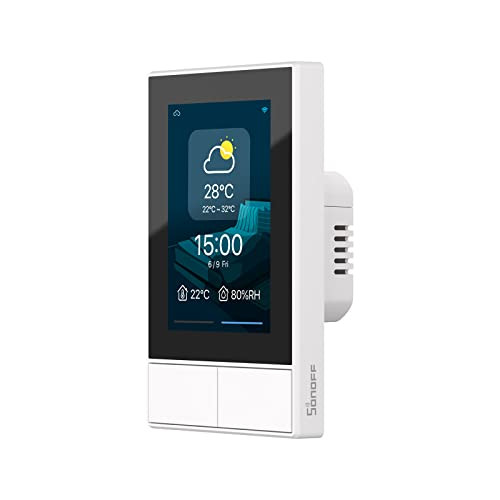
SONOFF NSPanel WiFi Smart Scene Wall Switch,2-Switch Panel Smart Home Control,Touchscreen Control for Smart Temperature Function,Lights,Compatible with Alexa & Google Home (2, Black)
View AllClose
- 【All in One Control Center】NSPanel can help you achieve the use of specific scene modes in different scenes with one tap. In addition to the scenario-based control, it is compatible with almost all sonoff devices and the central control function of the control group.
- 【Integrated HMI Panel 】SONOFF NSPanel centrally integrates HMI control, smart temperature control, and smart wall switch, turning your home into a convenient and smart place.
- 【Home Automation Thermostat】With a built-in powerful thermostat, you can set different indoor temperatures for different periods of time, and NSPanel will automatically trigger the heating or cooling equipment according to your setting conditions to keep the room at a comfortable temperature.
- 【Multiple Ways to Control】You can use the dual-channel switches, touchscreen, and eWeLink App to control SONOFF NSPanel; Besides, SONOFF NSPanel supports Alexa, Alice, Google Home, and even Siri Shortcuts, you can control your home appliances with simple voice control.
- 【Know the Time & Weather】 With built-in sensors and WiFi connection, NSPanel smart scene wall switch can real-time updates weather, indoor temperature, outdoor temperature, time, and date.
- Connection Method: Connect your phone to 2.4GHz Wi-Fi, press and hold the device for 5 seconds to put the device into pairing mode, and add the device in eWeLink APP. Please refer to the quick guide and user manual for specific usage.
- 【Note】It's not supported Smartthings.